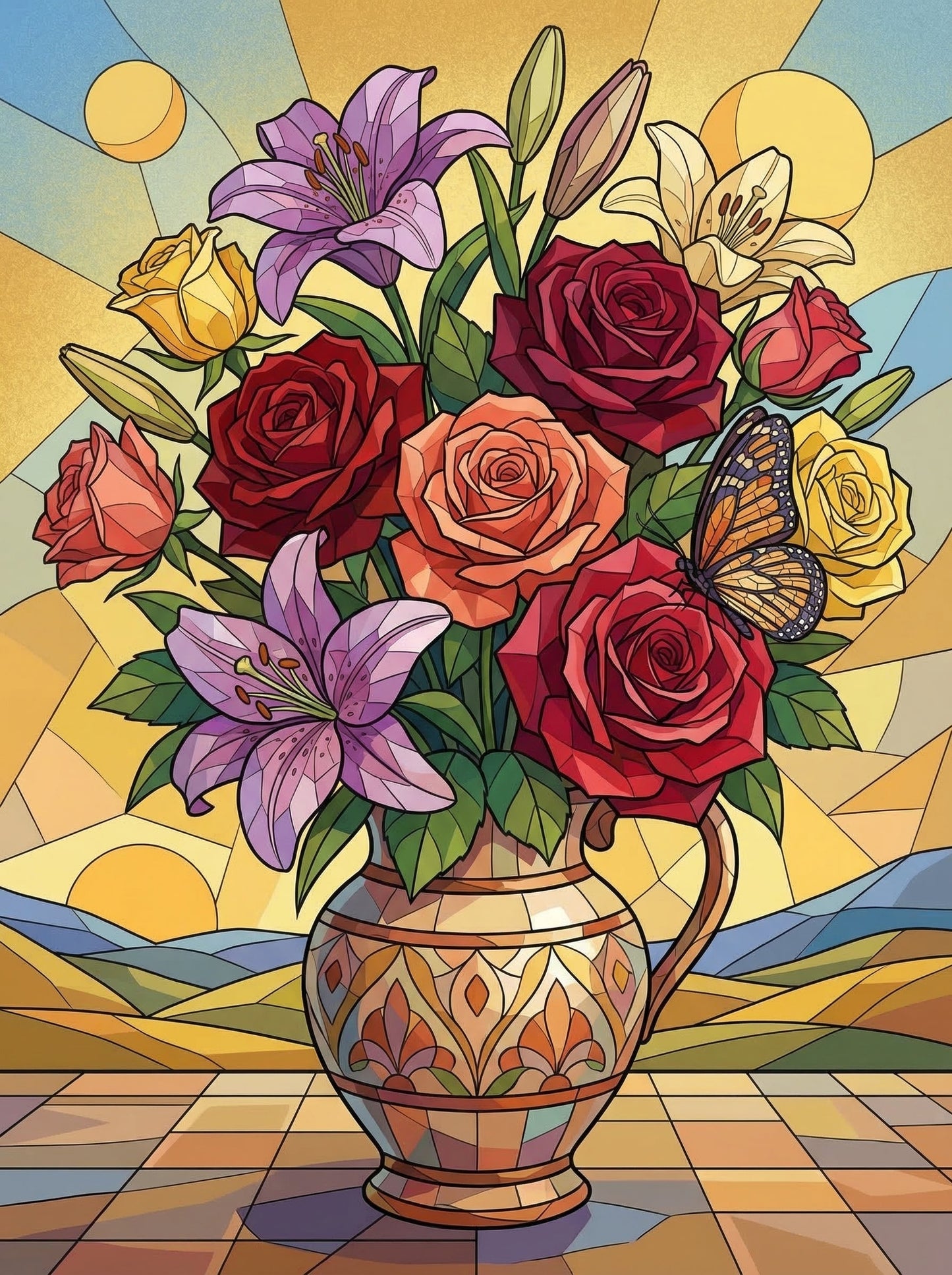
Stained Glass Floral Radiance
Stained Glass Floral Radiance
Couldn't load pickup availability

What's included
What's included
Standard Image
🎨 Premium pre-printed numbered canvas
🖌️ 3 detail paint brushes (small, medium & large)
🌈 Numbered acrylic paint set (24, 36 or 48 colours depending on selection)
📋 Reference guide for easy painting
🖼️ Optional DIY frame kit (if selected)
📦 Secure packaging with tracking included
Suitable for beginners and experienced painters alike. No prior painting experience required.
Custom Paint By Numbers Kit
📸 Your own photo professionally converted into a Paint By Numbers design
🎨 Premium custom pre-printed numbered canvas
🖌️ 3 detail paint brushes (small, medium & large)
🌈 Numbered acrylic paint set (24, 36 or 48 colours depending on selection)
📋 Full-colour reference guide based on your uploaded image
🖼️ Optional DIY frame kit (if selected)
📦 Secure packaging with tracking included
Simply upload your favourite photo and we'll transform it into a unique Paint By Numbers masterpiece.
Please note, that custom paintings may take 2-3 weeks to be delivered from the day that you order as this product will be sent directly from our overseas warehouse.
24, 36, 48 Color Pot Option
24, 36, 48 Color Pot Option
We offer the option to select either 24, 36, or 48 colour pots for each painting. The more colour pots you choose, the better the detail of the finished painting. Please see the example below:

How To Do Paint By Numbers
How To Do Paint By Numbers

Shipping & Delivery
Shipping & Delivery
🚚 Free Shipping on Every Order
All orders include free tracked shipping. Once your order has been placed, our team will carefully prepare and dispatch it as quickly as possible.
Most orders arrive within 7–12 days from the date of purchase, although delivery times may vary slightly depending on your location and seasonal demand.
You'll receive tracking details as soon as your order has been shipped so you can follow its journey every step of the way.
We proudly deliver to customers across the United States and worldwide.
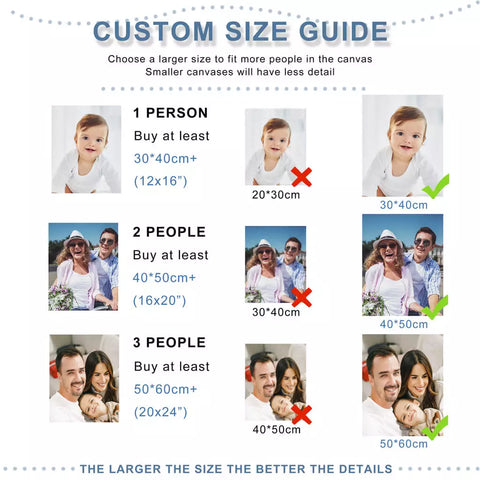
Choosing A Custom Image Guide
1 - Image resolution/quality
The quality of your photo will greatly affect your custom painting result. The sharper your image is, the better!

➡️ You can also check the image properties on your mobile or desktop. The higher more pixels, the better. Try to provide a photo with at least 1000x1000 pixels. If you don't know how to check your image resolution, here's a quick guide to do so on Windows and Mac.
2 - Distance from the camera

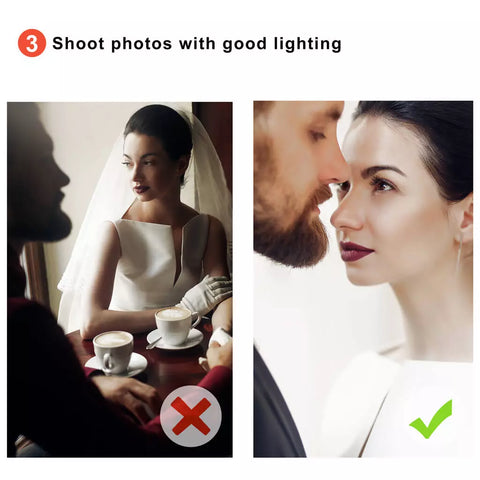
3 - Pick a photo with neutral lighting
➡️ Good lighting. Choose images where the light is uniform across the subjects.
➡️ NO instense background light. The light should always come from the camera angle.
➡️ NO shadows on the skin. Shadows can completely change the color palette, creating dark patches.
➡️ NO color filters! The light should be completely natural. Rephrase from using tints such as yellow, blue, purple or green, which are very popular in social media or in some photography apps.